How to photograph a house for sale with your phone
Light, height, straight walls, the order of the rooms and honest editing. Everything you need to photograph a house for sale with the phone already in your pocket.

Web app · Real estate
Maiso
You photograph the property with your phone, upload, pick a tool. Two minutes later the photo is ready to publish: light opened up, walls straight, room decluttered, emptied or furnished.
10 free credits, no card required.
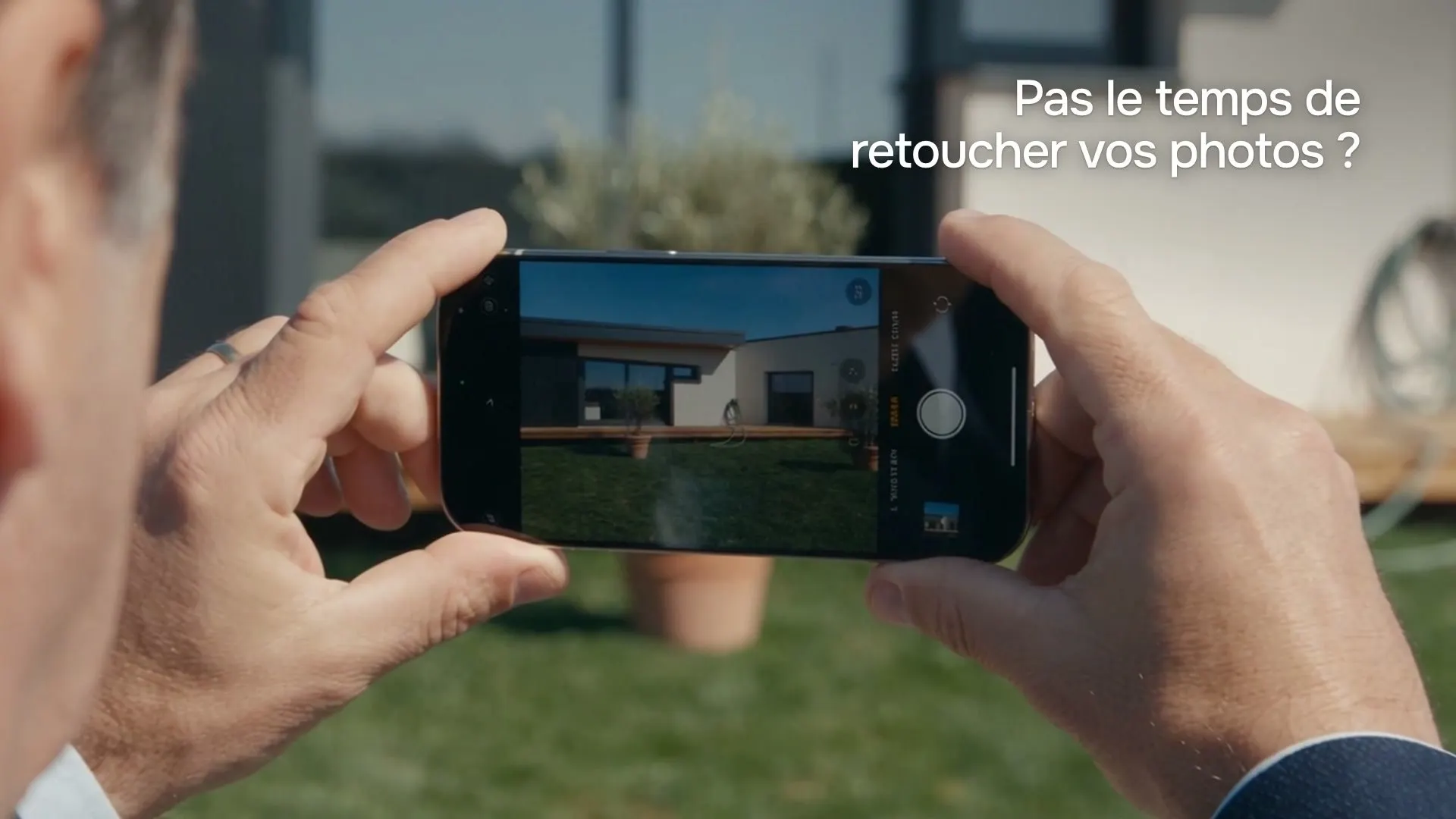
2 min
instead of two days waiting for a photographer
< €0.30
per listing-ready photo, on every paid plan
€0
for a failed result, which uses no credit
Where this started
Listings with good photos get more clicks, more calls and more sales. Everyone knows it, and yet most are shot on a phone between two viewings: dark rooms, leaning walls, dishes on the worktop, grey skies.
The reason is simple. A professional photographer is expensive, needs an appointment and two days of lead time, for every single listing. Nobody does that for a two-room rental.
Maiso does the photographer's and the retoucher's job, on the photos the agent already takes. No studio, no contractor, no software to learn.
Improve the photo
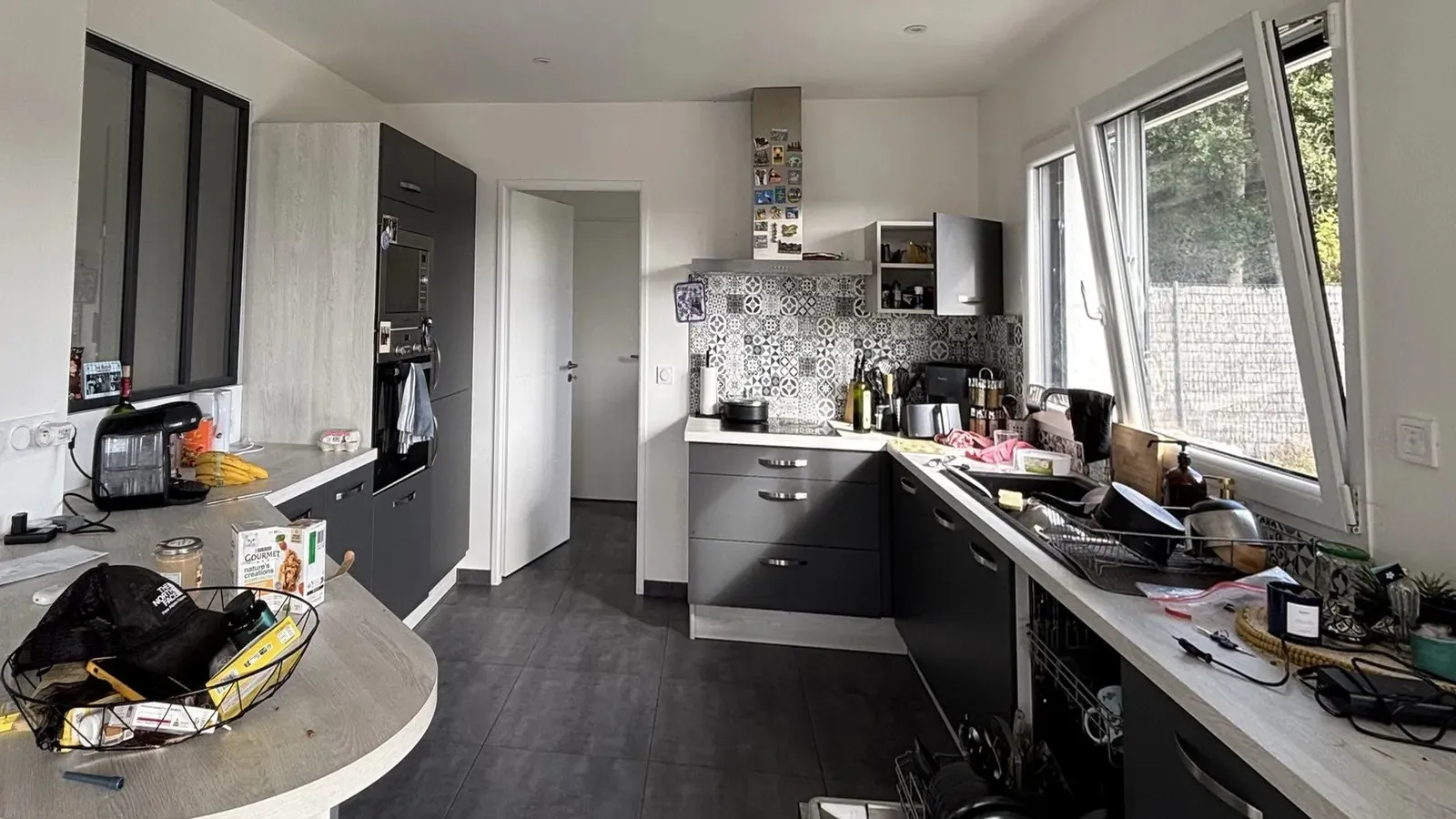
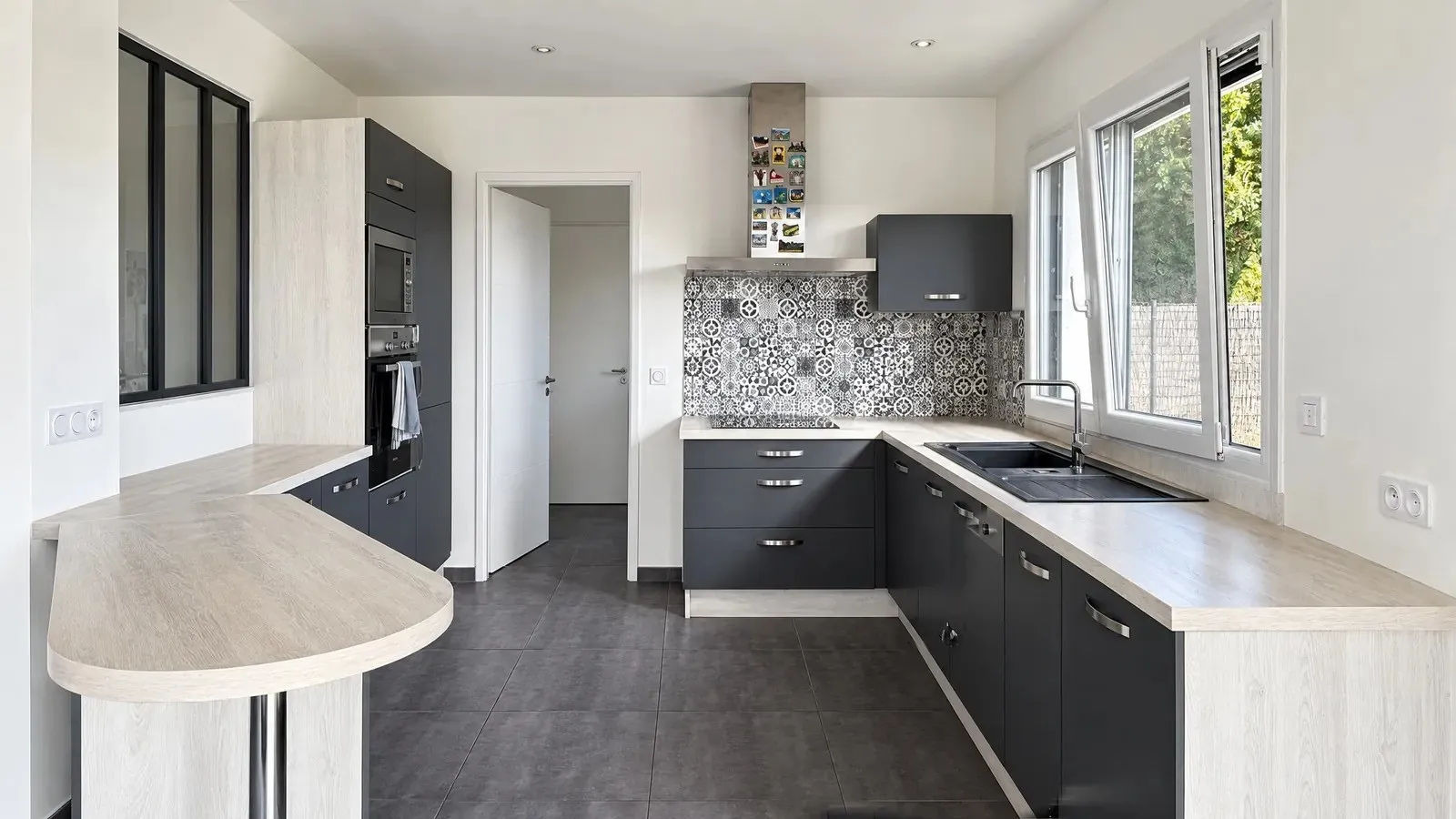
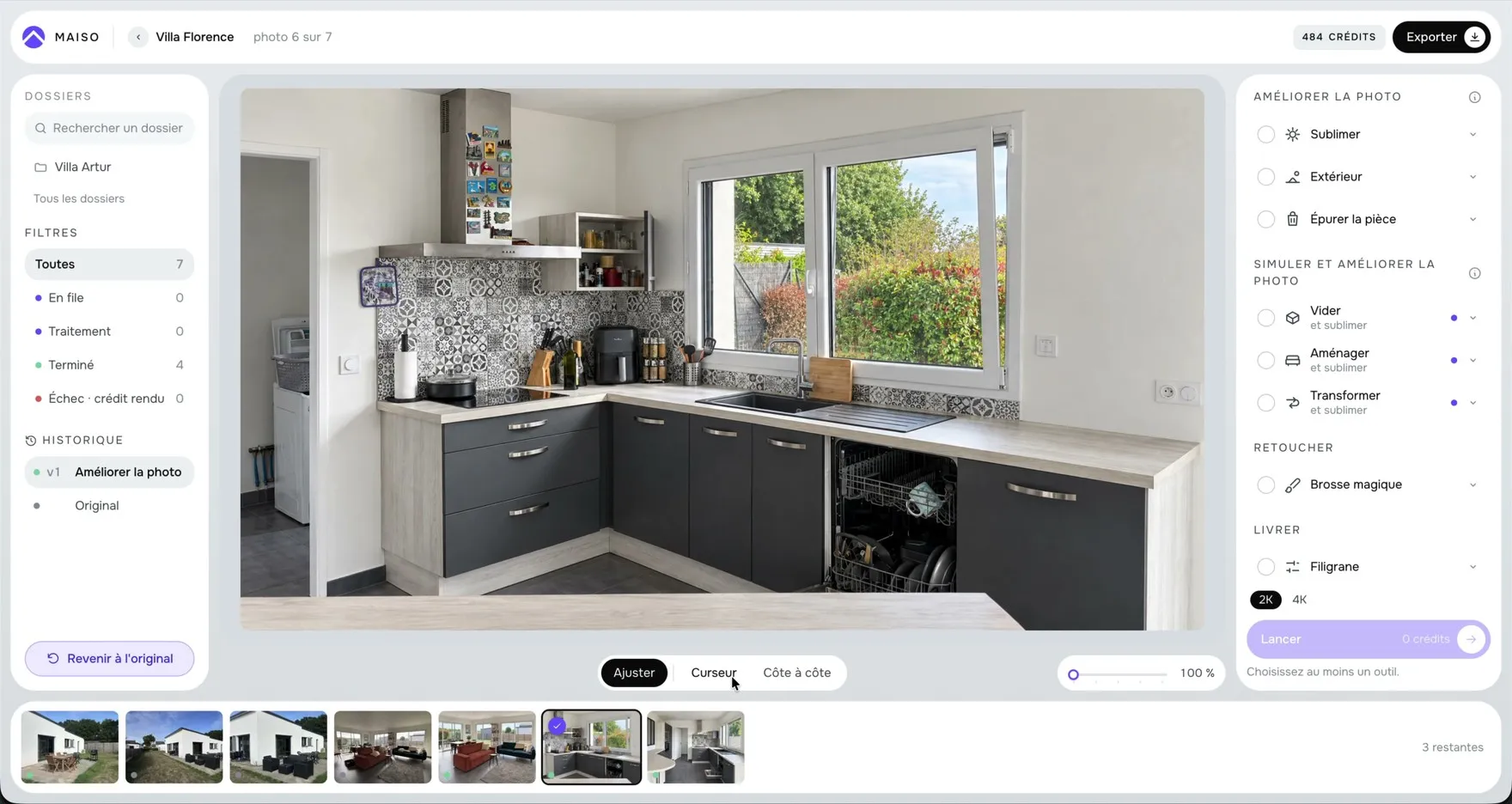
The Enhance tool applies in one go what a retoucher would do by hand. Light opens up: shadows lift without blowing out the windows. Verticals are set straight again, walls and window frames included. Whites become white again. And detail stays sharp: tiles, floorboards, fabrics.
On this kitchen, Enhance and Declutter ran together. Declutter removes the mess, dishes, objects, cables, papers, without touching the room itself.
Simulate
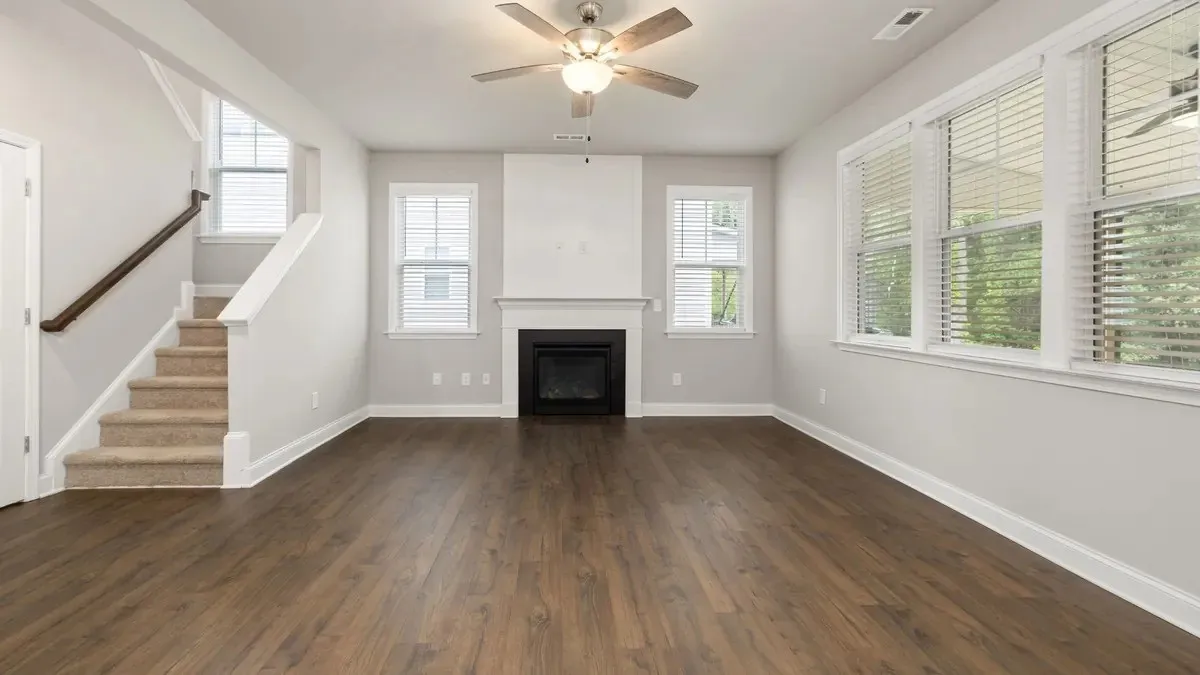
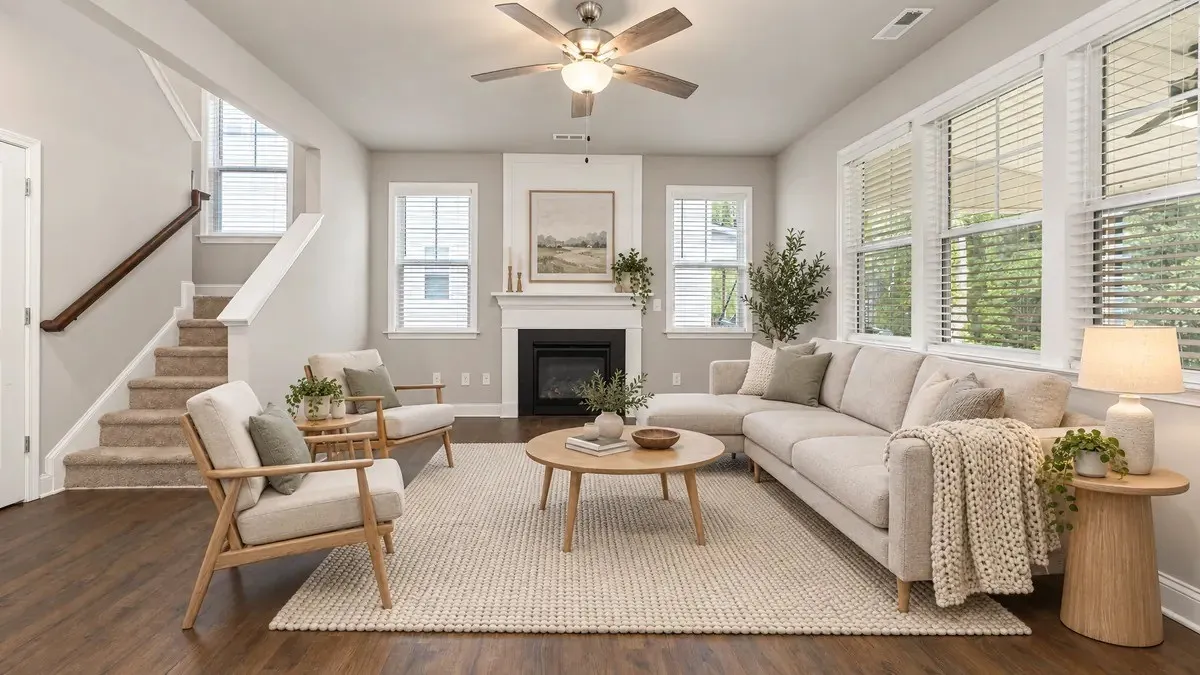
Furnish places furniture in an empty room at the right scale, in the photo's own perspective. Ten room types, from living room to retail unit, five styles, from Scandinavian to high end, and two furniture densities.
It is a simulation, and Maiso says so. Any photo that is furnished, emptied or transformed carries the word Simulation on export. You show a property's potential without implying the furniture comes with it.
From the phone's camera roll or by drag and drop on a computer. JPEG, HEIC and RAW are converted, oriented and filed into one folder per property.
A tool applies to one photo or to twenty at once. Processing takes about a minute: 45 seconds measured on a kitchen.
Before and after slider, side by side view, then export in 2K or 4K, with the agent's logo placed as a watermark.
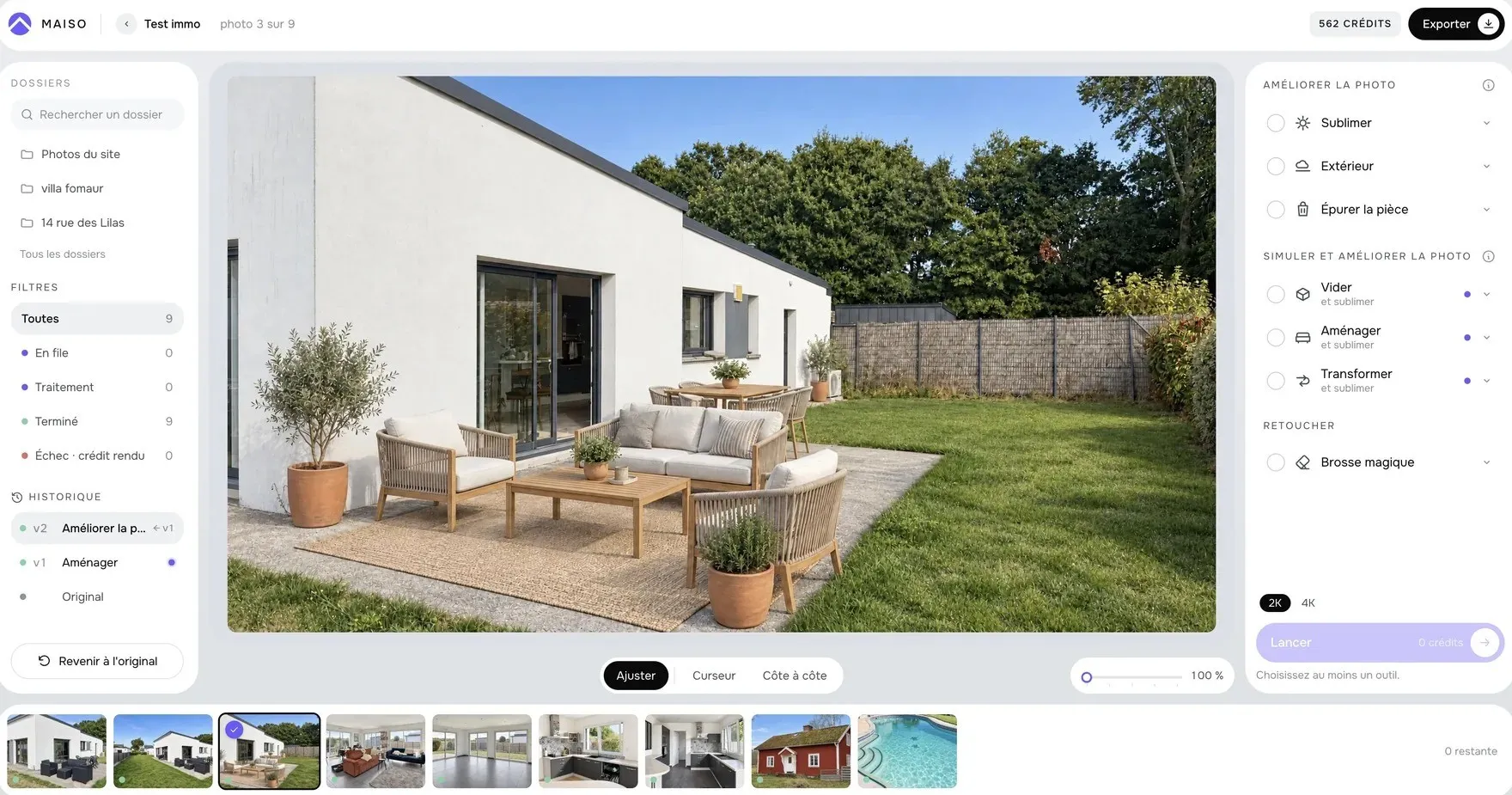
Each tool was built for an agent's photo, taken fast, not for a studio shot.
Mislead. A photo that lies about a property turns against the agent at the first viewing. So Maiso sorts every tool by what it actually changes.
| Level | What changes | Examples | On export |
|---|---|---|---|
| Correction | The property has not changed | Light, verticals, colour, object removed | Nothing |
| Enhancement | The element existed, its look is improved | Sky, existing lawn, pool water, dusk | Nothing |
| Simulation | The room is shown other than it is | Room emptied or furnished, walls or floors transformed, lawn created | Simulation label |
Every version is filed next to the original photo, with a full history. And each result is automatically compared with the original: anything that changed too much is flagged before publishing.

On site
Maiso works on a phone too: upload from the camera roll, start processing from the pavement, check the results. Everything is then on the computer, filed by property.
For agencies, credits are shared between agents, each has their own profile and places their own logo on their exports.
In the workshop
This is the design decision I am surest of. A tinted interface skews your judgement of a photo's colours: a cream background warms the whites, a blue one cools them. In Maiso, the photo is the only coloured thing on screen.
One colour is the exception, a violet I call iris, and it signals one thing only: the AI stepping in. Brush mask, active tool, processing, Simulation label. I chose it because it is almost absent from interior photos, which are made of wood, whites, skies and greens. It never gets confused with the image.
A 2K photo costs one credit, a 4K photo costs two. Prices exclude VAT, which is calculated at checkout based on your country.
Free
€39 excl. VAT / month
€89 excl. VAT / month
€199 excl. VAT / month
On quote
Credits, profiles and storage by contract, for networks.
contact@lezbroz.comYou upload the property's photos from your phone or computer, pick a tool, for example Enhance for light and verticals, and get a listing-ready photo back in about a minute. A tool applies to one photo or twenty at once.
No, quite the opposite. Maiso is built for estate agents who take their own photos on a phone. There are no technical settings and no software to learn.
Furnishing an empty room in the photo, to show its potential. In Maiso, the Furnish tool offers 10 room types, 5 styles and 2 furniture densities, in the photo's perspective. The photo carries a Simulation label on export.
Maiso sorts every edit into three levels: correction, enhancement and simulation. Only simulations change the room, and they are labelled on export. The original is never overwritten, and each result is automatically compared with the original photo.
One credit gives one listing-ready 2K photo. Solo costs €39 excl. VAT a month for 150 credits, Team €89 for 500 credits, Agency €199 for 1,200 credits. That is under 30 cents a photo. Yearly billing gives 12 months for the price of 10.
Yes: 10 free credits, once, with no card required. Enough to edit 10 photos of a real property before choosing a plan.
JPEG, HEIC, the iPhone format, and RAW. Photos are converted, oriented and filed automatically into one folder per property. Export is in 2K or 4K.
In the European Union. Deleting your account is immediate and complete.
Yes, in the phone's browser: upload from the camera roll, start processing and check the results. Everything is then available on the computer.
Light, height, straight walls, the order of the rooms and honest editing. Everything you need to photograph a house for sale with the phone already in your pocket.
Try it on the photos from your next listing
10 free credits, no card required. Judge it on your own photos, not ours.
